What participants see
This is the journey for someone taking an AI interview. Participants have their own guide: Taking part.
1. The invite page
The participant link opens a page that explains the study: roughly how many questions, that they can say "skip" to any question, and that they can stop at any time (an interview stopped early isn't paid).
They agree to the call being recorded and transcribed, then sign in or create a free participant account to continue. In a Video + screen share study, the consent also covers recording their camera and the window they share. For text surveys, they agree to their written answers being stored and analysed.
2. The screener
They answer your screener questions. They'll see one of:
- You're a match: they go straight on.
- Thanks, the team will check your answers: when you've set an AI condition, or a written answer needs a look.
- Thanks, this one isn't a match: they can try again after 24 hours.
3. Mic test
For AI interviews, they say a few words to check their microphone, then click Start interview. For human interviews, they pick a time instead.
4. Camera and screen (video studies)
Before the interview starts, the room asks them to Turn on camera and Share a window (they pick a window, tab or screen in the browser's own picker), with a preview of each. It tells them the interviewer only hears them and can't see the screen.
- If they say no, or their device can't share (phones can't share a screen), they start with what they have and you get the audio for the rest, unless you made camera and screen required. Then the interview only starts with both on, and on a phone they're asked to use a laptop or desktop.
- During the interview, a chip shows what they're sharing with Stop sharing, and their camera sits in a corner. If they stop, they can share again; the recording picks up from there.
5. The interview room
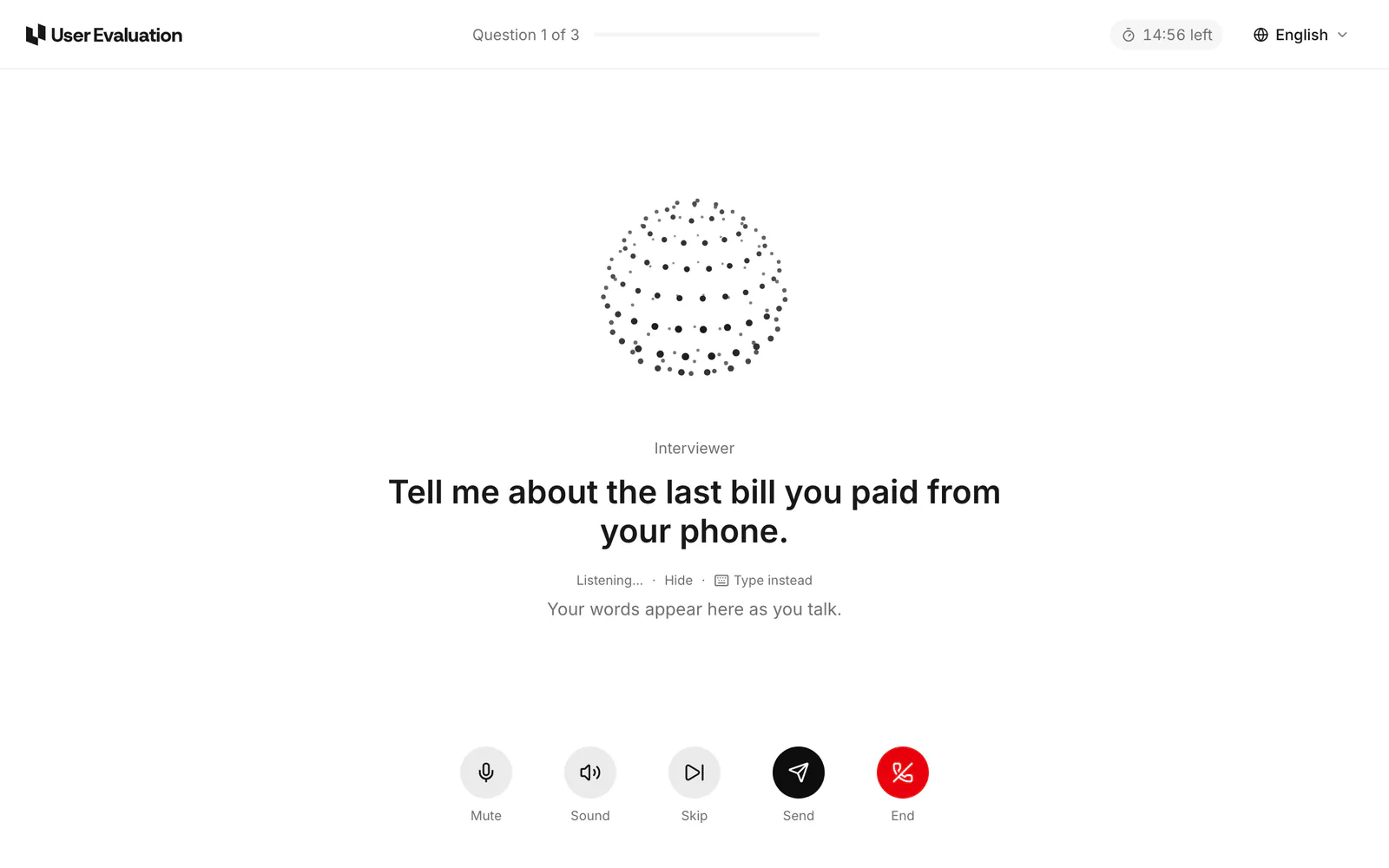
- The AI interviewer asks your guide's questions out loud and follows up on their answers.
- They answer out loud. They can also type an answer.
- Controls: Mute, Skip, Done, End, and Captions.
- Anything you chose to show them (an image, a page, a prototype) appears as a card at the right question, as do on-screen questions such as ratings.
- The interview runs in the language you set for the study.
If live voice isn't available, the room carries on question by question: the browser reads each question aloud and the participant answers by voice or by typing.
To finish, they need to have answered at least half the questions. Ending earlier asks them to confirm, because an interview stopped early isn't paid.
6. Done
The last page thanks them and shows their reward, or says the interview wasn't paid if they stopped early. They can rate the interview. People who came from Prolific are sent back to Prolific to finish there.
For your own people
People you invite with your link go through the same steps. They aren't paid by us.
The recording
The call's audio, the camera and the shared screen are recorded in the participant's browser and uploaded in short pieces as the interview runs, so a long interview or a shaky connection keeps everything up to the last few seconds. On the session page they play together on the transcript's timeline: the screen with the camera in a corner (switch to make the camera large). Clicking a transcript line or a clip moves the recording there. The recording appears a minute or so after the interview ends.