Run your first study
This walks through an AI-moderated interview study, the most common kind. The other kinds work the same way; see Study types.
1. Ask your question
On Home, type what you want to learn, in plain words, and send it. You can also click New study (on Home or in the menu) and pick AI interview.
Good questions are about behaviour and reasons: "Why do trial users leave in week two?", "How do finance teams choose an expense tool?".
2. Check Eva's draft
Eva drafts the study straight away: a title, an interview guide of about five open questions (each with a follow-up) and one or two screener questions. Nothing runs until you approve it.
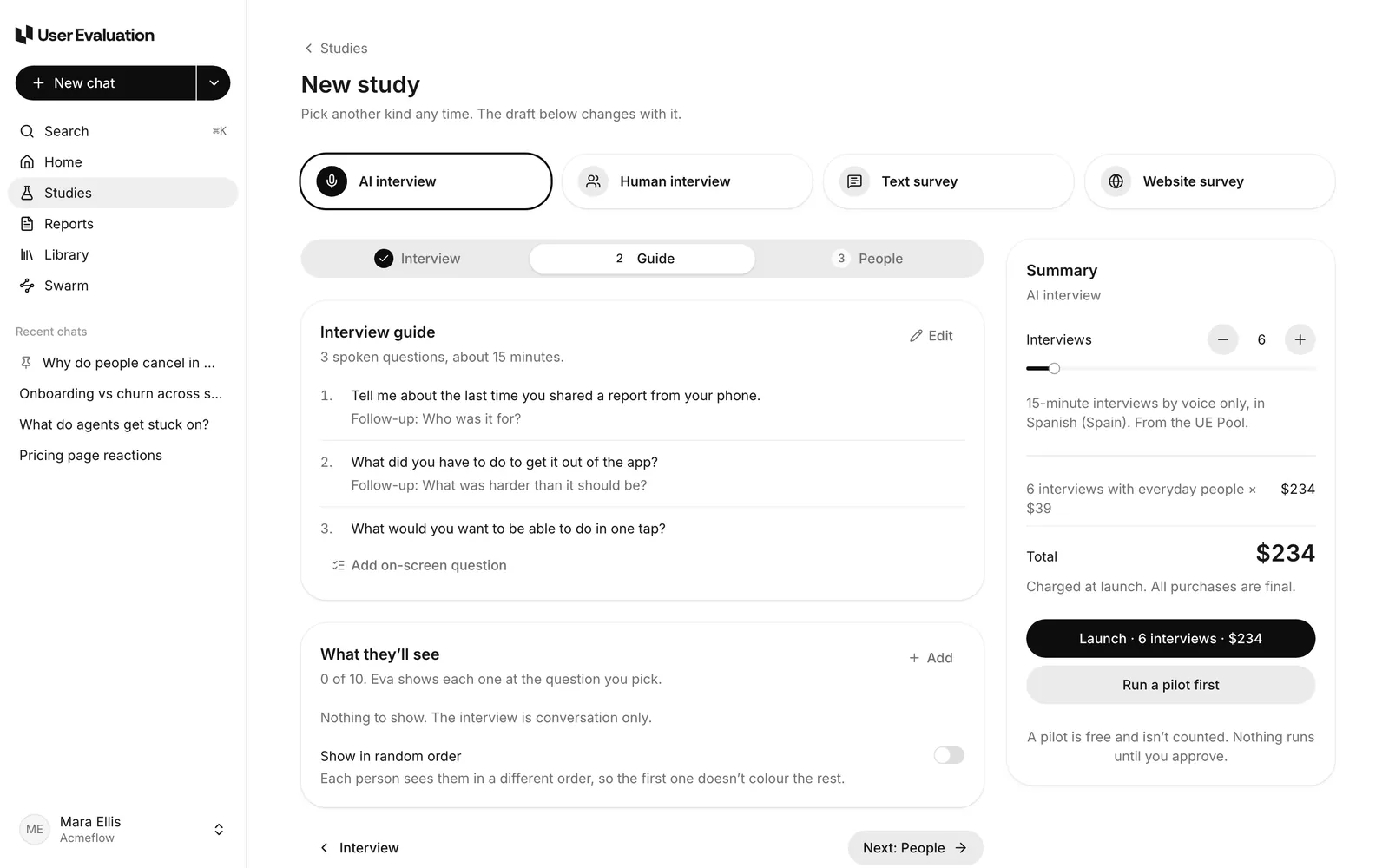
The steps for an AI interview are Interview → Guide → People. Changes save as you go.
- Interview: length (15, 30 or 45 minutes), how the AI moderates (Adaptive or Structured), how deep it probes, and the language.
- Guide: edit, add or remove questions. See Write a guide with Eva.
- People: who takes part and how many. See Recruiting.
3. Try it yourself (optional)
Click Run a pilot first to take the interview yourself before anyone else does. When you finish, Eva suggests concrete fixes to the guide that you can apply.
4. Pick who takes part
- Your own people: list their emails and we email them the study's participant link at launch (or share the link yourself). $10 per interview.
- Everyday people: people from our panel, filtered by country, age and more. $39 per interview.
- Professionals: people by job title, industry and company size. $99 per interview.
Your first three interviews with your own people are free, on any plan.
5. Launch
The Summary card shows the cost lines and the total. The launch button spells it out, for example Launch · 10 interviews · $390. You pay once, at launch. If you have a saved card it's charged straight away; otherwise a checkout page opens and the study launches once payment goes through.
After launch the study is Recruiting. Sessions show up on the study's Overview and Sessions tabs as people take part.