Swarm
Swarm sends AI agents through your website or app as users. Each agent is a persona (a careful evaluator, a busy founder, a trial skimmer…) driving a real browser. Every step is recorded with the page, the action, a one-line reason and a screenshot. Where agents get stuck becomes a finding, and anything important can go to five real people before it reaches your roadmap.
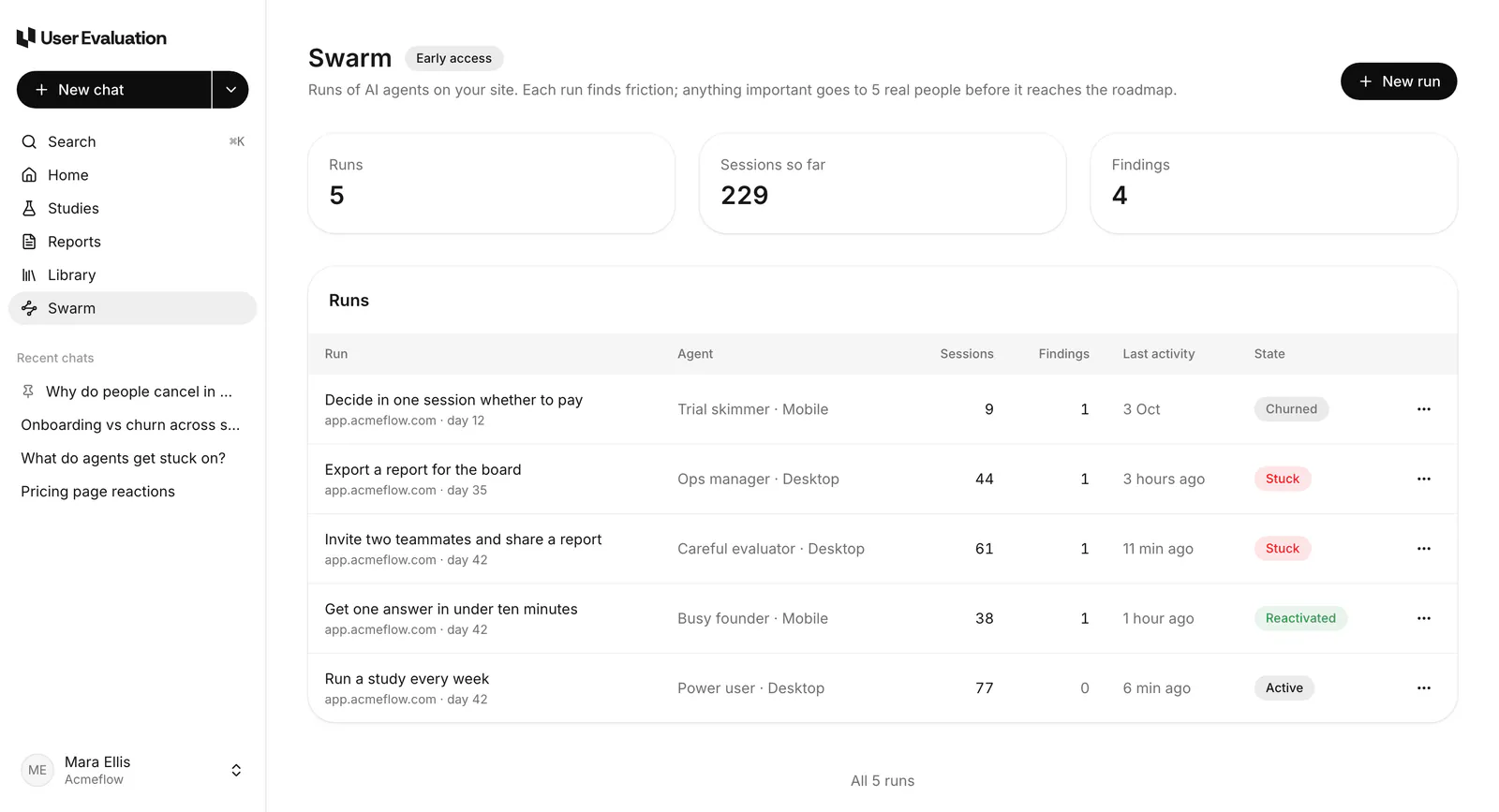
If you see "Swarm agents aren't switched on for this workspace yet", your run is saved as a draft and you can start it once Swarm is switched on for you.
Set up a run
Go to Swarm and click New run.
Your website
- Environment: live or staging.
- Site URL: must start with
https://. - Start page: where agents begin (
/by default). - Allowed paths and Blocked paths: comma-separated;
*matches anything. The start page can't be blocked. - Max pages per session: 5 to 200 (40 by default).
Access
Pick how agents get in:
- Agents sign up themselves. Give an email domain and an account tag (
ue-agentby default). Agents sign up with addresses like[email protected]. - Use a test account. An email and password, plus a two-step secret if the account uses one.
- Magic link / SSO bypass. A token sent in the URL or a header.
Secrets are encrypted when stored. Only the last four characters are ever shown back, and the AI never sees them: it types a placeholder that's filled in at the last moment.
Firewall help: you can add one custom header to every request. Agents identify themselves with the user agent UserEvaluationAgent/1.0.
Click Check access: one agent tries to get in, which takes a few seconds. A captcha (reCAPTCHA, hCaptcha or Cloudflare Turnstile) will stop it.
Verify your site
Agents only run on sites you've shown you own. Use one of:
- a meta tag on the start page:
<meta name="userevaluation-verification" content="TOKEN"> - a file at
/.well-known/userevaluation-verification.txtcontaining the token - a DNS TXT record
userevaluation-verification=TOKENon the host or on_userevaluation.<host>
You must own the site, or be authorised to test it.
Start run stays off until the site is verified. A run on an unverified site can't start, so it never uses one of your included runs or costs anything.
What to try
- Goal (required): what the agents should try to do, for example "Sign up, invite a teammate and export a report."
- Success looks like (optional): Eva uses it to mark each session done or stuck.
Who and how many
-
Personas: pick 1 to 5. Agents are spread evenly across them.
Persona Behaves like Careful evaluator Reads everything, invites the team Busy founder Wants one answer, fast Ops manager Exports, permissions, billing Trial skimmer Decides in one session Power user Comes back every week -
Number of agents: 1 to 50.
-
Device: desktop or mobile.
-
Patience: low, medium or high.
Safety
All on by default: keep destructive flows off, don't submit payments, don't email real users, and stop the run on server errors (5xx).
Schedule
Run once now, every day or every week. Recurring runs last 7, 14, 30 or 90 days.
Click Start, or save the run as a draft and start it later. Nothing is charged until you press Start, and only if the run is past your included runs.
Limits
Your plan includes Swarm runs each month: Free 1, Pro 5 and Team 25; Scale is agreed with you. Starting a run uses one. The New run screen and the Swarm page show how many are left.
After that, each extra run costs $2.00. You confirm the $2 before the run starts. It's charged to your saved card; if there's no card, a checkout page opens. The charge shows on your invoices in Settings → Billing, and it's final. See Billing & plans.
Each session also has limits on steps, time and AI cost; a session that reaches one stops and says why.