Your first study report
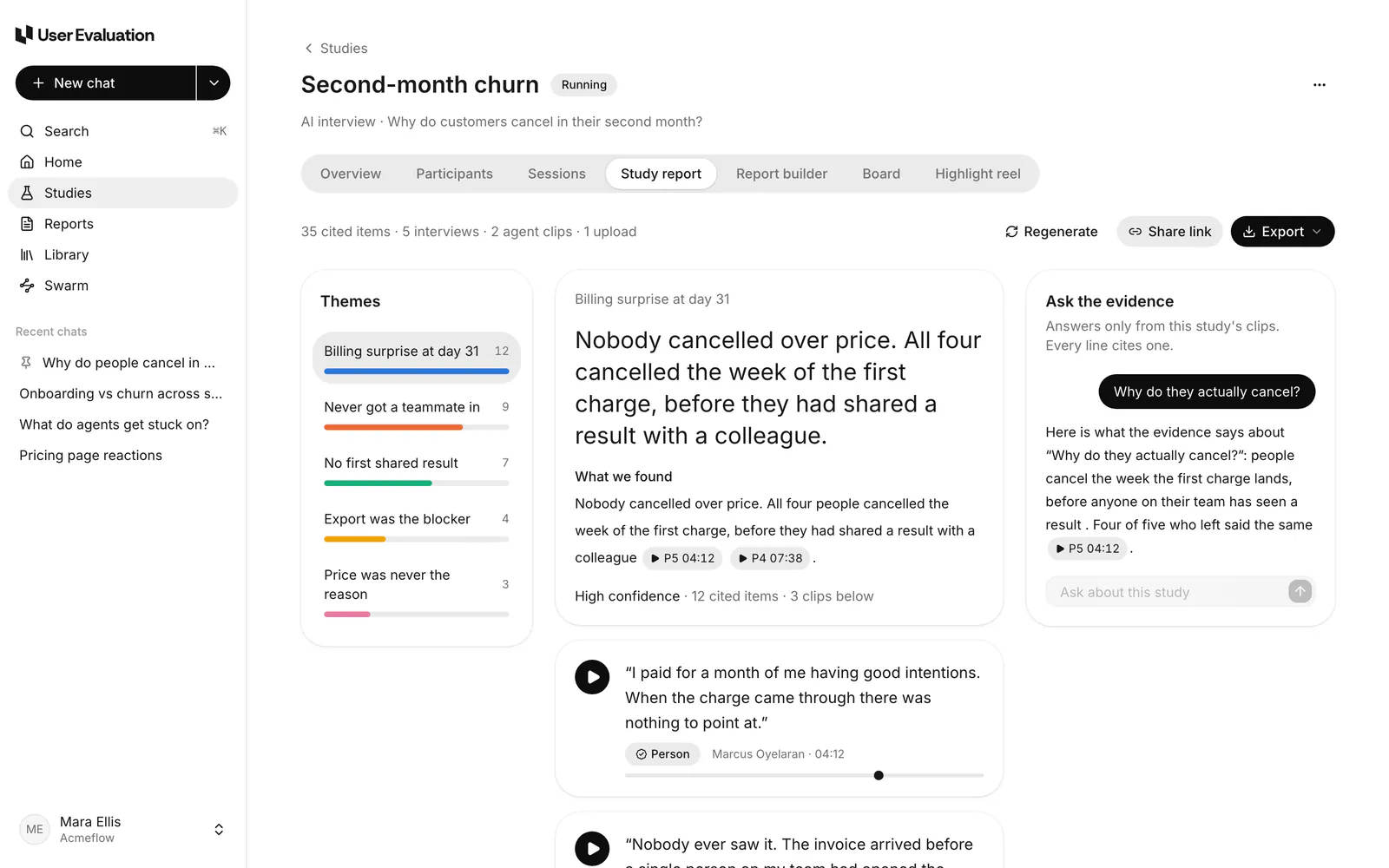
A study report turns a study's sessions into themes and claims, and every claim links to the clips that back it.
Before you start
You need at least a few completed sessions with transcripts. When the study reaches its target or its deadline, the study report is generated on its own and you get an email (see Study reports). To read one sooner, generate it yourself:
Steps
- Open the study and go to the Study report tab.
- Click Generate study report. Eva reads every clip; this usually takes about a minute.
- Pick a theme on the left. Read the claims, and click any clip chip to play the moment it comes from.
- Check the confidence label on each theme. Thin evidence is marked Low rather than dropped.
- Ask follow-up questions in Ask the evidence. Answers come only from this study's clips, and every line cites one.
- When more sessions come in, click Regenerate.
Share it
- Share link: a view-only page anyone with the link can open, no account needed. Set it to expire after 7 or 30 days, or never, and revoke it any time. See Share links.
- Export: PowerPoint, PDF, Word, Markdown or CSV. See Exports.
Go further
- Write a report across one or more studies, with review and publishing.
- Sort clips on a board by theme, person or phase.
- Make a highlight reel of the strongest moments.