Boards
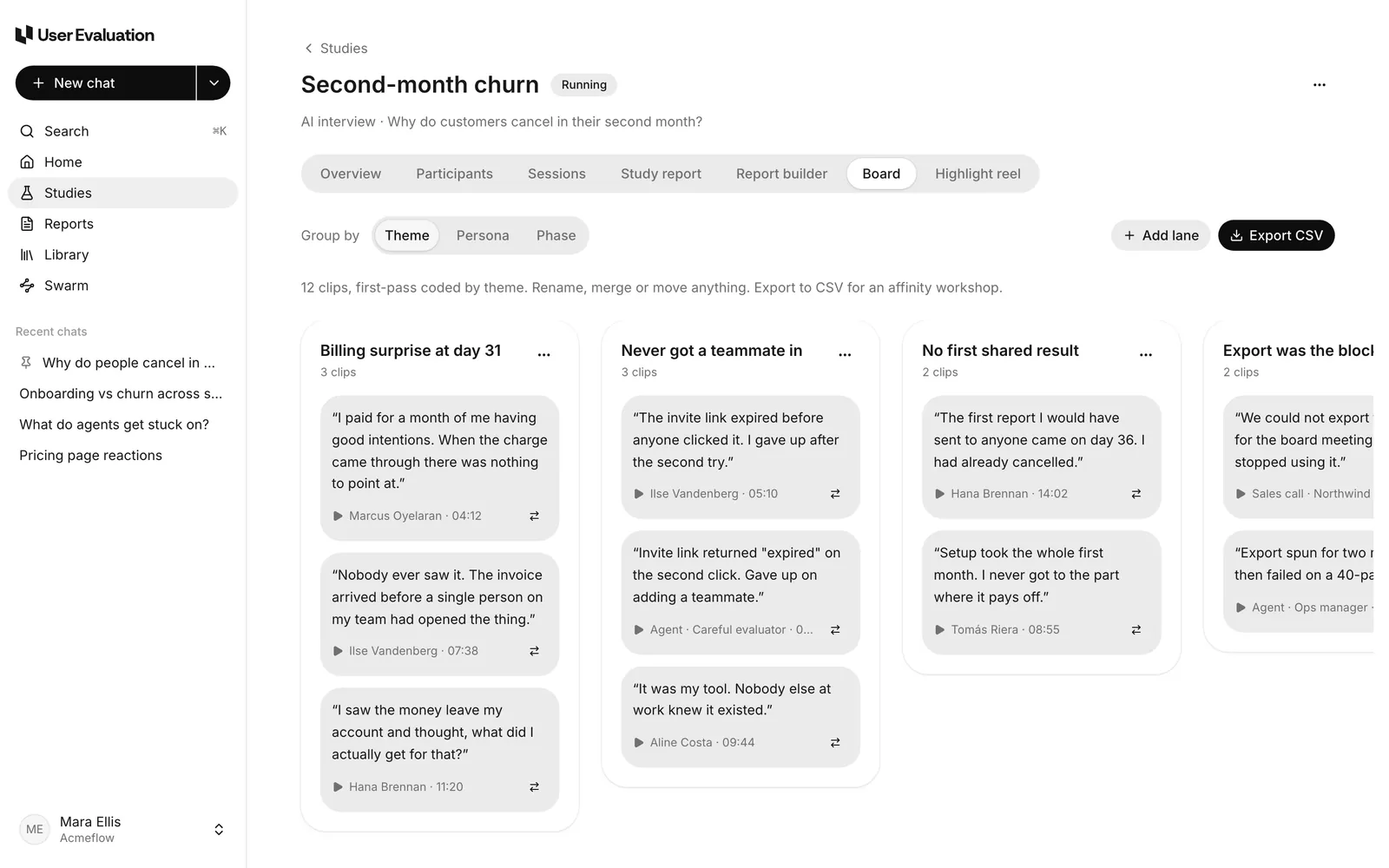
A board lays out a study's clips as cards in lanes, so you can see the evidence at a glance and move it around.
Open a board
Open a study and go to the Board tab. Use Group by to switch between:
- Theme: one lane per study report theme, plus Unsorted.
- Persona: one lane per person, plus lanes for agents and uploads.
- Phase: lanes for the stages of a journey (for example set-up, inviting the team, first charge, sharing and export), with every clip starting in the first lane.
Each grouping gets its own board the first time you open it.
Arrange it
- Add lane, rename a lane, or merge one lane into another.
- Drag a card to another lane, or use Move to another lane.
- A board can have up to 30 lanes. Each clip can be on a board once.
If you made a board before the study report existed, the study report's new clips are added to it.
Export
Click Export CSV to download one row per clip, ready to import as sticky notes into a whiteboard tool.